



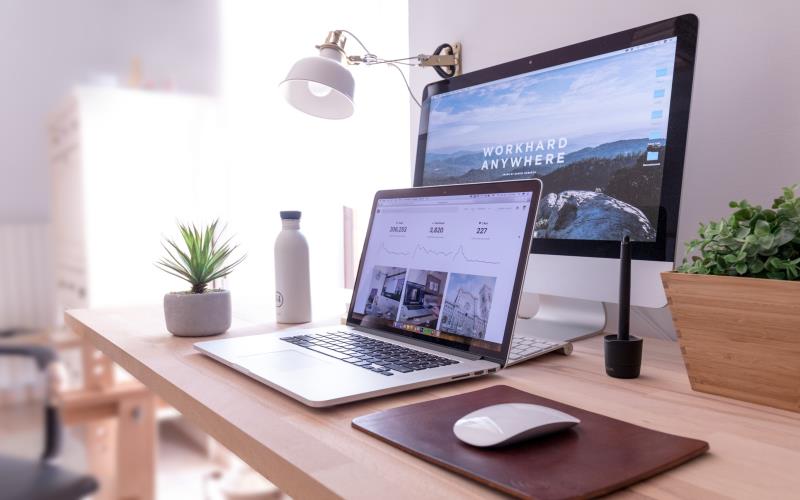
In today’s world, a well-designed website is essential, especially if you want more conversions. It is a huge step up from a plain platform. Fortunately, technology has developed so well that anyone can build their website!
Many of these can be attributed to web design tools. We’ve rounded up the best ones for 2024! Let’s get started!
The Best Tools For Web Design
Wix—You don’t need to know how to code on web designing tools with Wix! The platform has a drag-and-drop feature to help you create your desired layout and tools like analytics to analyze website performance. You can also add more tools like Google Analytics, Google Ads, Facebook Pixel, etc. Community management is also a task that Wix can do well with the help of likes, posts, and comments!
Figma—Figma makes collaboration seamless. You can edit in real-time, prototype, and iterate more efficiently, and most of all, your ideas can quickly become interactive web experiences! It can also handle UI and is platform-agnostic for browser and desktop apps. It also has a robust community of designers who share templates and designs. Non-designers, on the other hand, might have a learning curve.
Adobe Express: Adobe Express free online image editor is another powerful tool for web design. With Adobe Express, you can easily edit and enhance images for your website without the need for extensive design skills. This user-friendly editor offers a wide range of features, including filters, effects, cropping, and resizing tools, allowing you to create stunning visuals that capture the attention of your audience. Whether you’re a beginner or an experienced designer, Adobe Express provides the tools you need to elevate your web design projects to the next level. Plus, its seamless integration with other Adobe Creative Cloud applications ensures a smooth workflow from start to finish.
Canva—Canva is an online platform that has become one of the most used design platforms due to its accessibility. With Canva, coding, and design experience are no longer necessary. Canva can make almost everything—graphics, flyers, brochures, business cards, and social media posts! One of their most recent endeavors is a website builder.
The Canva website has builder templates and still has the same user-friendly design that we’ve all grown used to! It also has a template library, an inexpensive plan, and is excellent for collaboration. Unfortunately, the website builder does not optimize SEO and has no advanced features.
Squarespace—Squarespace offers more than 100 website templates and has made various functionalities easier to work with. There is also a hierarchy of user levels in Squarespace. Images can be duplicated. Moreover, you can expedite the process! It is one of the better options on the list, and its UI is fantastic!
Dreamweaver—Adobe Dreamweaver is one of the most used web design tools. It lets you preview the work in real-time after editing the code. Code hints and GitHub support are available there, making customized HTML easier to code. Files are importable from Adobe tools like Illustrator and Sketch.
Dreamweaver also has a free trial of thirty (30) days before subscription to a paid plan. Another sub includes Adobe Creative Suite suite, Dreamweaver, XD, and Photoshop.
Many digital marketing agencies like Carl Ocab Digital Marketing also offer web design services.
Questions About Web Design and Web Design Tools To Answer
What tools do website designers use?
Website designers use many tools. Some of them are Canva, Squarespace, Dreamweaver, and Figma. You can also refer to their list.
Which tool is best for designing a website?
Designing a website can be a subjective experience. However, it depends on the user and their skill level.
What program is used for web design?
More commonly, Dreamweaver, Weebly, and Figma are some of the programs used for web design.
Wrapping Up
We’ve rounded up the best 2024 web designing apps and tools. These tools can help you decide what to use. All of them have their uses and respective values quiketalk.
